
How to Turn Your SaaS Company’s YouTube Channel Into a Customer Support Center
Most SaaS companies think about customer support and marketing as two completely separate departments, with separate budgets, doing completely separate jobs. Marketing brings the users in. Support keeps them from leaving.
But if you’re building out your YouTube channel and only using it for one of those two jobs—or avoiding getting started because you’re sure it’s for one, and not the other—you’re leaving one of the most cost-effective retention tools you have sitting on the virtual table.
The same video that helps a stranger find your product can also be the video that helps an existing customer actually use it. It means fewer support tickets, more expansion of revenue, and a YouTube channel that supports both “halves” of your users.
Why Your YouTube Channel Belongs in Your Customer Support Strategy
Reducing churn isn’t just about signing new customers, you’re also working to keep the ones you already have. A stabilized, growing MRR depends on both. Most SaaS teams are only building for one half of that equation.
When your channel doubles as a support resource, it does a few things that acquisition-only content can’t:
Reduces the number of live demos your team has to run, because your channel has on-demand demos for every use-case your audience is searching for
Reduces churn because your customers actually understand what your platform can do for them (and are less likely to leave)
Increase sign-ups and trial conversions, especially from users actively searching for alternatives to whatever they’re currently using
This doesn’t mean your entire channel should be app tutorials or how-tos, but to integrate your customer support videos in your SaaS’s YouTube funnel and framework.
How to Introduce Customer Support Videos Into Your YouTube Strategy
Your customer support videos are an extension of the strategy you’re already using for your channel—or should be. When you’re introducing customer support videos onto your YouTube channel, follow these basic steps:
Step #1: Map Your Most Common Use Cases
Before you film anything, get specific about who’s actually using your product and how. Most SaaS platforms serve more than one type of customer, with one side using the tool very differently than the other (for example, a small business vs. an enterprise team).
One video won’t work well for both, so map out your most popular use cases for each portion of your consumer base. What are they actually trying to accomplish inside your platform? What workflow are they building? What’s the thing they email support about the most?
Once you have the list, you have your video topics.
Step #2: Build Walkthroughs for Each Use Case
For each use case you mapped out, build a dedicated walkthrough. Not a 45-minute tour of every feature on your platform, but a focused, specific video that shows someone exactly how to do the thing they came to do.
This isn't to build a broad “how to use our platform” video and call it done. A customer trying to solve a specific problem doesn’t want to sit through your entire feature set to find the three minutes that apply to them.
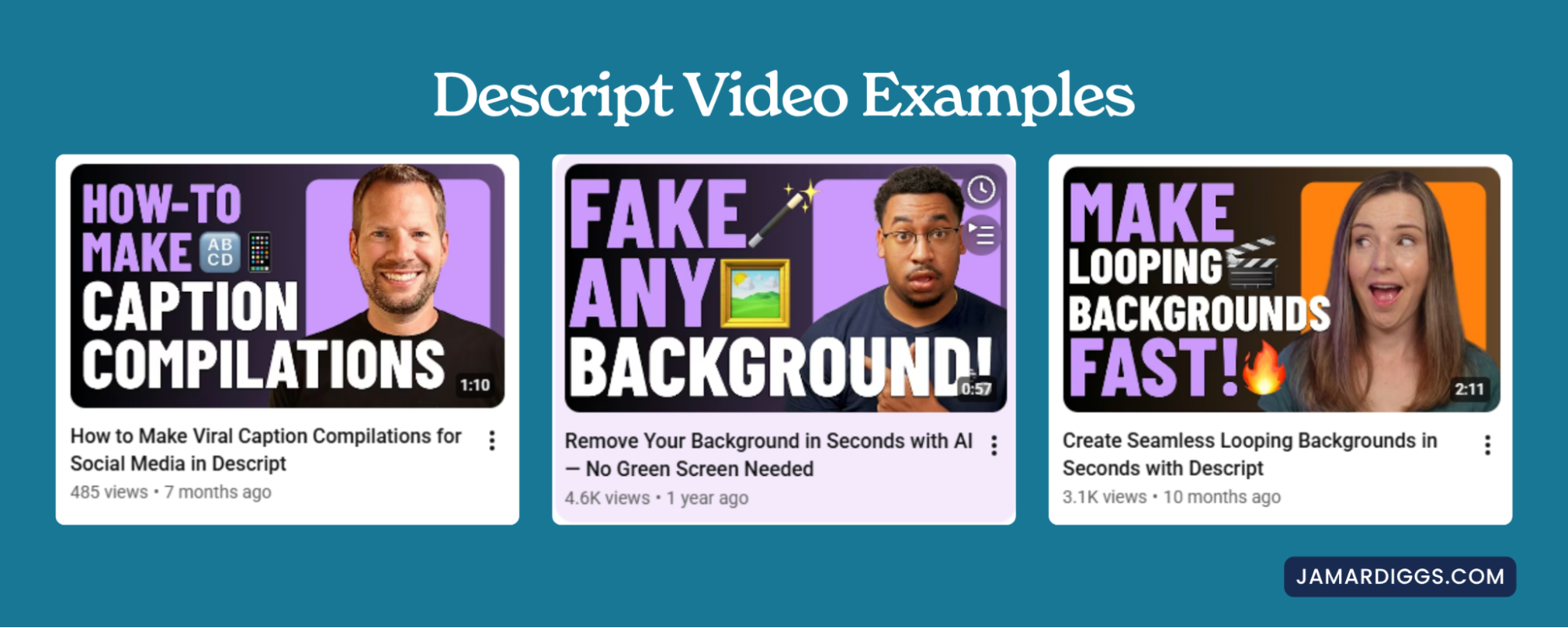
Descript does this well! They’ve worked for the past few years to create a resource library on their YouTube channel for the most common uses for their users. For example, quick videos helping users create viral caption compilations for social media, removing the background of your video, and creating seamless looping backgrounds to name a few:
Riverside takes a very similar approach with their tutorial-style videos as well, meeting users at the exact workflow they’re trying to figure out rather than leaving it to a generic product tour.
Step #3: Pair Every Support Article With a Video
If you already have a help center or a knowledge base, you have a built-in content calendar—you just have to translate it into a video.
Every support article should be paired with a YouTube video. Some of your customers will always prefer reading through the steps, others need to see it done, in real time, before it clicks. When you give both formats a home, you’re providing resources for both types of users.
Both Dubsado (the CRM) and Flodesk (the email marketing platform) offer really good examples of successful SaaS companies using this to grow their customer base:
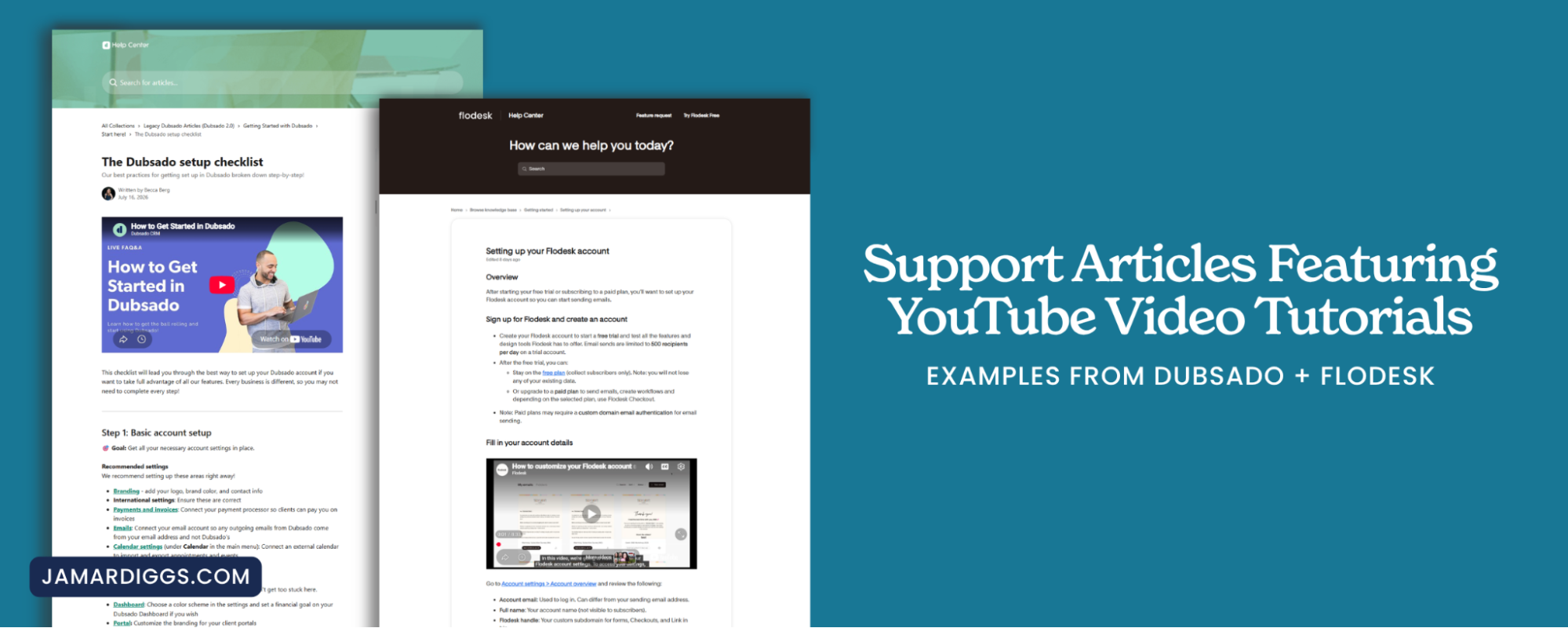
If done correctly, you’re also doubling the opportunity for compounding ROI (what YouTube is well known for) by creating a video that can rank on YouTube, and an article that can rank on Google.
Step #4: Use the Same Videos to Shift Perspective and Combat Objections
Your customer support library doesn’t have to stay purely instructional, some of the most valuable videos you can build out are the ones that do double duty by shifting how a prospect thinks about their problem, or addressing the objections they’re already weighing.
If your website already has comparison pages stacking you up against other platforms, that content deserves a video version.
When you’re combating objections through a video, you go beyond “how do I do this” and answer “why should I trust this platform to do it.” A question your support content can answer just as well as your marketing content can.
Your Next Step: Build Your SaaS YouTube Channel
Your YouTube channel doesn’t have to choose between being a marketing tool and a support tool—the SaaS brands getting the most out of the platform are using it as both, and reducing their cost to acquire and retain customers in the process.
If you’re ready to build a channel that grows your customer base and keeps them around longer, the first place to start is the YouTube Playbook for SaaS Brands. It walks you through the entire framework for creating a successful channel. Get your Playbook here.
